
Repaying Your Loan
Repaying reduces or clears your debt in a market and raises your Health Factor. You repay in the same loan asset you borrowed, plus the interest that has accrued.
Tutorial
-
Open the market and go to the My position tab. Your debt appears in the loan row.
-
Click Repay in the loan row to open the Repay dialog. The loan asset is preselected.
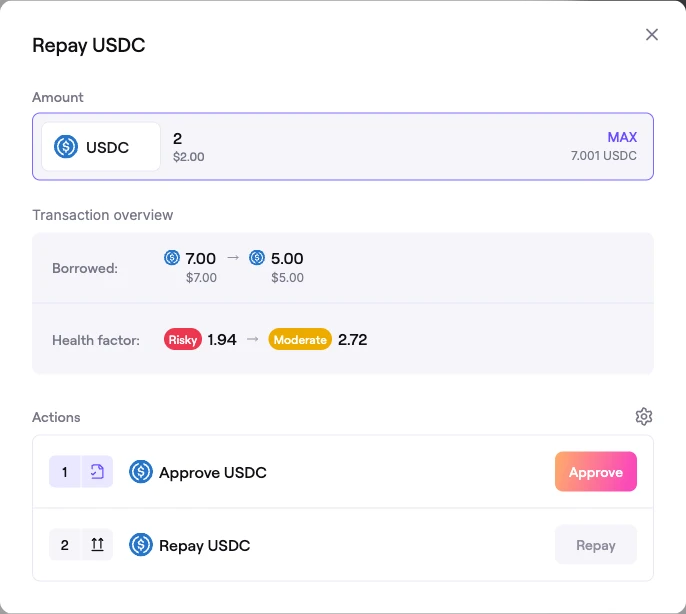 Repay dialog
-
Enter the amount to repay. You can repay partially, or click MAX to repay as much as your wallet balance allows.
- The amount cannot exceed your debt or your wallet balance of the loan asset.
- Because interest keeps accruing block by block, repaying MAX clears essentially all of your debt; a tiny accrual amount can remain unless your wallet balance covers the small buffer needed to fully close the position.
-
The Transaction overview shows your Borrowed balance decreasing, and the Actions section lists the steps: Approve → Repay.
-
Sign the actions. Once complete, your debt is reduced by the repaid amount and your position — including your Health Factor — updates.
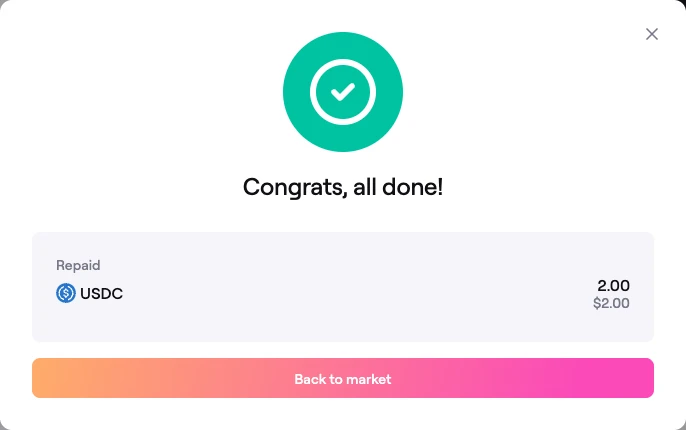 Confirmation: loan repaid
When your debt reaches zero you can withdraw your collateral freely. See Withdrawing Collateral.
FAQ
Can I repay only part of my loan?
Yes. Enter any amount up to your outstanding debt. Partial repayment lowers your debt and raises your Health Factor.
How do I fully close my position?
Repay your debt with MAX, then withdraw your collateral from the My position tab. If a small amount of accrued interest remains after a MAX repay, repaying again clears it provided your wallet holds enough of the loan asset.
Do I need to repay by a deadline?
No. There is no fixed term. However, interest accrues continuously and lowers your Health Factor over time, so monitor the position to avoid liquidation.