

Withdrawing Collateral
You can withdraw collateral from a market at any time, as long as doing so keeps any open borrow safely collateralised. If you have no debt, you can withdraw all of your collateral.
Tutorial
-
Open the market and go to the My position tab. Your supplied collateral appears in the collateral row.
-
Click Withdraw in the collateral row to open the Withdraw dialog. The collateral asset is preselected.
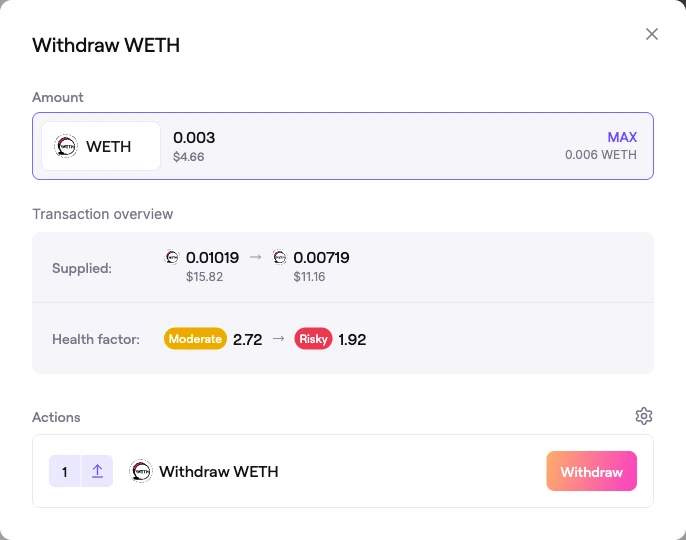 Withdraw dialog
-
Enter the amount to withdraw, or click MAX.
- With no open borrow, MAX withdraws your entire collateral balance.
- With an open borrow, you can only withdraw down to the point where your position stays above the liquidation threshold. The dialog prevents a withdrawal that would push your Health Factor below 1.
-
The Transaction overview shows your Supplied balance decreasing and — if you have debt — the resulting Health factor. The Actions section lists a single Withdraw step.
-
Sign the action. Your collateral returns to your wallet and your position updates.
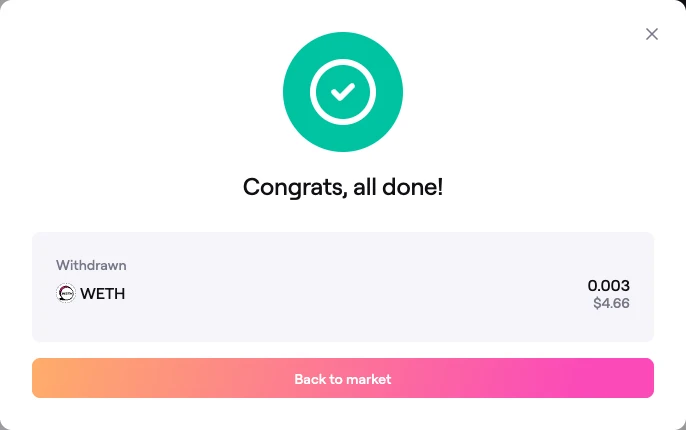 Confirmation: collateral withdrawn
FAQ
Why can't I withdraw all of my collateral?
If you have an open borrow, some collateral must remain to keep the position above its liquidation threshold. To withdraw more, first repay some or all of your debt, which frees up collateral.
How do I withdraw everything?
Repay your debt in full, then withdraw your collateral with MAX. With no remaining debt there is no collateral requirement, so the full balance can be withdrawn.
Does withdrawing affect my Health Factor?
Yes. Withdrawing collateral while you have debt lowers your Health Factor, because there is less collateral backing the same loan. The dialog shows the updated Health Factor before you confirm.